


Is R8 Music Player the Ad Free Hi Fi Android App Your Phone Has Been Missing?
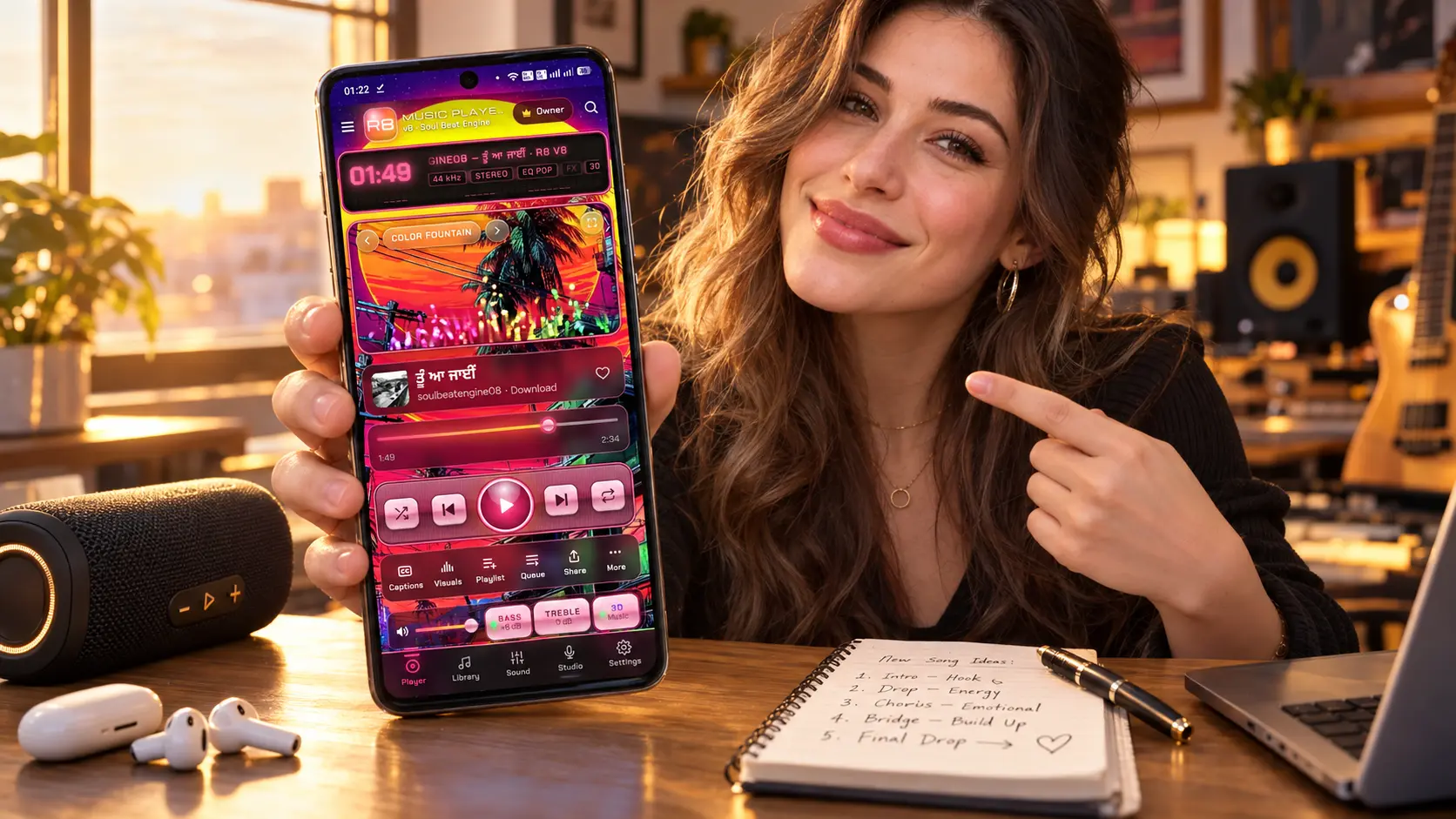
R8 Music Player started with a simple frustration. Most free music players on Android are full of ads, track what you do, and make your songs sound flat. On the other hand, the serious audiophile players sound great but look like they were designed a decade ago. I wanted both worlds in one place: studio grade sound, a beautiful interface, and total privacy. So I built it.
Full disclosure before you read further: I am the developer behind R8, published under the name Soul Beat Engine, and I built the entire app in conversations with Claude, the AI model from Anthropic. Therefore, this is not an outside review. Instead, it is a complete, honest walkthrough of what the app does, how it was made, and where it still has limits.
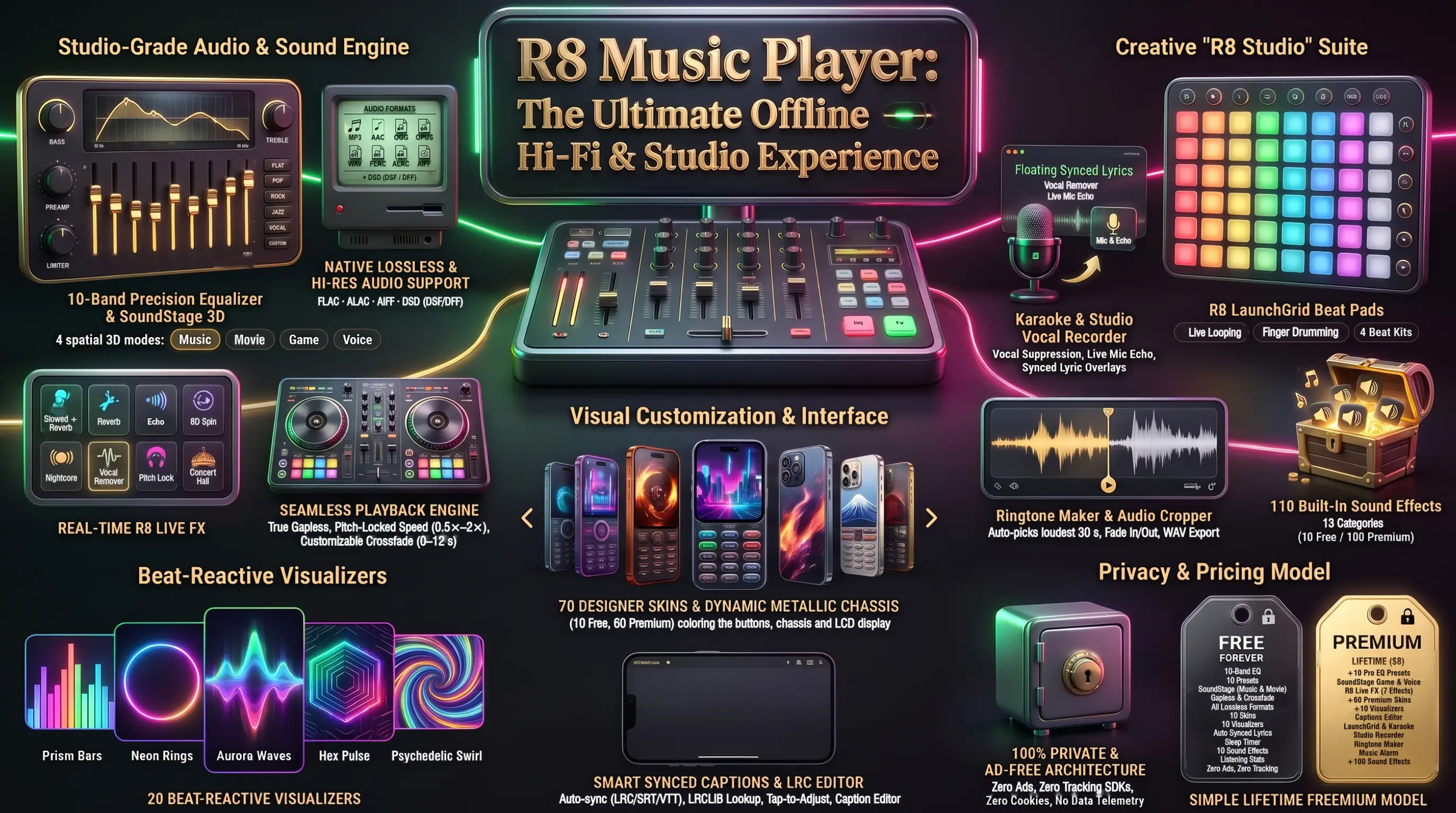
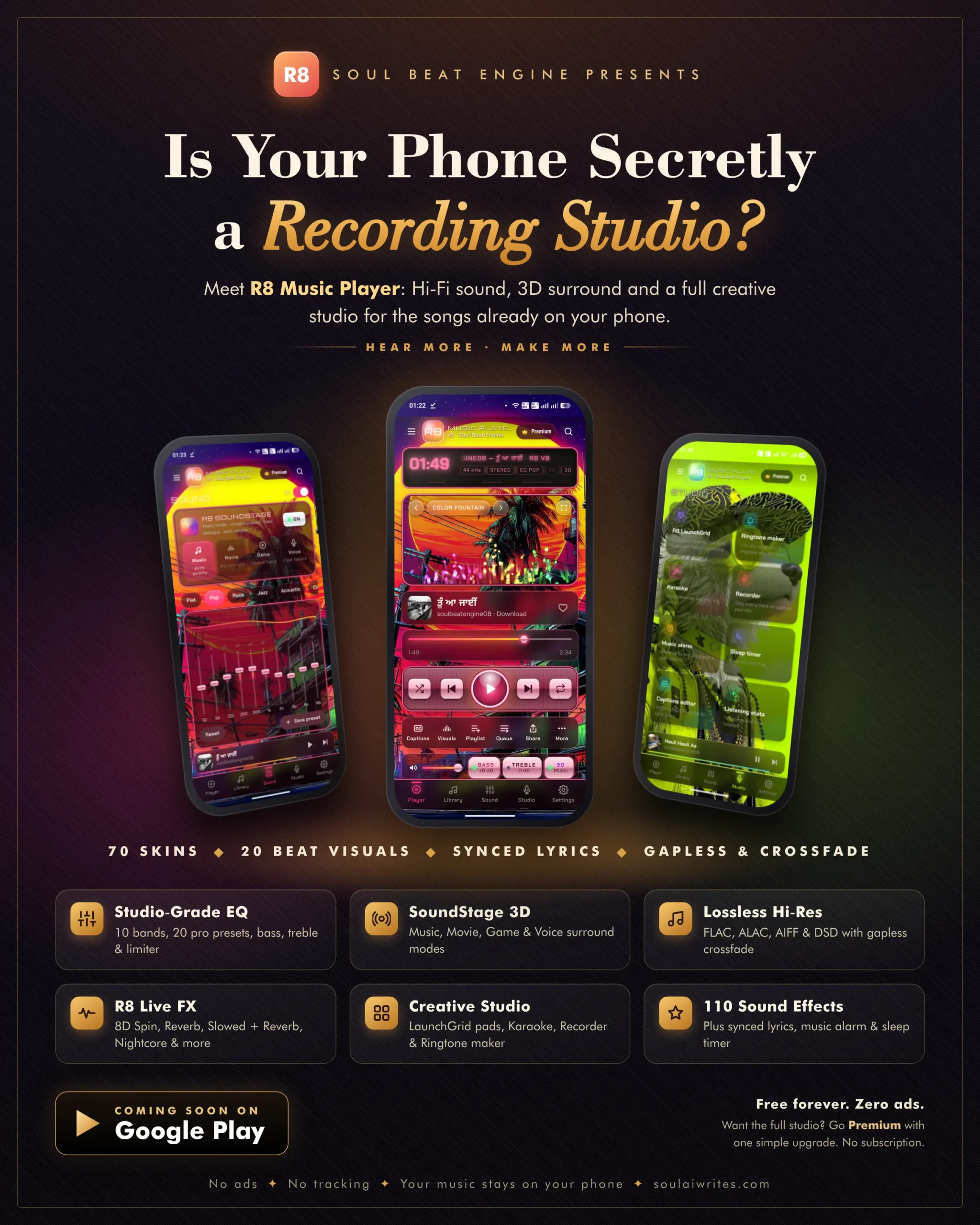
In fact, the numbers tell the story better than adjectives. R8 Music Player ships with a 10 band equalizer, 20 EQ presets, lossless playback up to DSD, synced lyrics, 20 beat reactive visual equalizers, 70 skins, and a creative studio with an 8×8 pad grid, karaoke, a recorder, a ringtone maker and 110 sound effects. Moreover, the free version has no ads, no tracking and no subscription, and Premium is a single $8 lifetime purchase.
In this article, I walk you through every department of the app, the exact working method I used with AI, a feature comparison with Poweramp and Musicolet, and my Chief Analyst Report Card.
What Is R8 Music Player and Who Is It For?
R8 is a hi fi offline music player for the songs already stored on your Android phone. It scans your phone’s music through Android’s media library and plays every file in place without copying it. In my own test, R8 found 563 songs, 111 albums and 90 artists, about 46 hours of music.
It supports Android 13 and newer and is heading to Google Play. As a result, it suits anyone who owns their music: collectors of FLAC albums, people who download songs for offline listening, independent artists testing their own tracks, and students who want a clean player without pop up ads.
The Problem R8 Was Built to Solve
The idea came from three gaps I kept seeing across the Play Store. First, free players fund themselves with banner ads and analytics SDKs. Second, audiophile apps hide good sound behind dated menus. Third, almost no player gives you creative tools like karaoke or a ringtone cutter alongside serious audio.
Consequently, I set one promise for R8 and used it in every piece of marketing: “Hi Fi sound for the music on your phone. No ads. No tracking. Your music stays on your phone.” Because R8 plays only local files, it needs no music licensing deals, which keeps the business model clean and the price low.
Department 1: The Sound Lab (Equalizer, SoundStage 3D and Live FX)
The Sound tab is where R8 earns the word hi fi. The core is a 10 band equalizer from 32 Hz to 16 kHz with a live response curve, a preamp, a limiter, and dedicated bass and treble knobs. Ten presets are free, including Flat, Pop, Rock, Jazz, Acoustic, Classical, Hip Hop and Electronic.
Premium adds ten pro presets such as Headphone Clarity, Lo Fi Radio, Live Concert, Car Audio, Deep House, Metal, Podcast, Night Mode, Bollywood and Vocal. Additionally, you save unlimited custom presets with one tap on Save preset, and a long press deletes any you no longer want.
How Does R8 SoundStage 3D Work?
R8 SoundStage 3D sits above the equalizer as a one tap upgrade for the whole mix. It offers four modes. Music mode gives a wide, punchy stage, and Movie mode creates a big surround feel, and both are free. Game mode adds spatial focus, and Voice mode lifts clear speech, and these two are Premium.
Behind each mode, R8 combines virtual surround, dialogue lift, an auto leveler and hiss and rumble reduction. For example, I switch to Voice mode for podcasts and long interviews because it pulls the speaker forward without making the music harsh. Meanwhile, Music mode stays my default for everyday listening on earphones.
R8 Live FX and Gapless Playback
The Premium R8 Live FX panel adds seven effects that change a song in real time: Reverb, Echo, 8D Spin, Vocal Remover, Slowed + Reverb, Nightcore and Concert Hall. Each effect has its own slider, so you blend it in rather than flipping it on at full strength.
Similarly, the playback engine runs two audio decks in parallel. The next song is prepared early, which gives gapless playback and an optional crossfade from 0 to 12 seconds with equal power fades. In fact, the heavy effects connect to the audio graph only while they are switched on, which made the engine about five times lighter and fixed the stutter I noticed when locking and unlocking the phone.
Department 2: Lossless and Hi Res Playback
Lossless support was a priority from day one, and it is free for everyone. R8 plays MP3, AAC, M4A, OGG, Opus, WAV and FLAC natively. Moreover, it decodes three formats inside the app using a background worker: ALAC (Apple Lossless) bit exact, AIFF, and DSD in DSF and DFF files, which R8 converts to 88.2 kHz PCM for playback.
Whenever a high resolution file plays, a glowing Hi Res badge on the LCD display shows the codec, bit depth and sample rate, for example FLAC 24 bit at 96 kHz. However, R8 does not support APE files today. Instead, the app tells you to convert them to FLAC, which is the honest answer rather than a broken playback attempt.
Department 3: The Wardrobe (70 Skins and 20 Visual Equalizers)
Design is where R8 stands apart from every player I tested. The main screen uses a glossy metallic hi fi chassis inspired by classic desktop players, with brushed metal keys, a glowing retro LCD and accent trim. The twist is that every part of the chassis takes its colors from the active skin.
There are 70 skins in total: 10 free illustrated skins painted in code, such as Chrome Classic, Graphite Pro and Neon City, plus 60 Premium skins across illustrated, photo and divine styles, including Mahadev, Ganpati Bappa, Fuji Express and Synthwave Sunset. Additionally, each skin works in light, dark and auto modes, and filters like Bold, Dreamy, Divine and Photo help you find a look fast.
Readable on Every Skin, Every Time
Beautiful artwork means nothing if your song list is hard to read on top of it. During testing, I flagged that white and grey fonts disappeared on bright skins. Therefore, every skin now computes its own title and artist colors and a tinted glass plate behind the text, and each combination is checked against WCAG contrast rules in both dark and light modes.
Likewise, the 20 beat reactive visual equalizers follow the same care. Ten are free, including Prism Bars, Neon Rings, Aurora Waves, Starfield Warp, Hex Pulse and Color Fountain, and ten Premium visuals add Psychedelic Swirl, Trance Tunnel, Kaleidoscope and Galaxy. You swipe the visual window to change songs and double tap to change the visual.
Department 4: Synced Captions and Karaoke
R8 reads lyrics from LRC, SRT and VTT files and from lyrics embedded inside MP3 tags, then shows them with a karaoke style word wipe in small, medium or large size. Moreover, when a song has no lyrics file, R8 looks up lyrics online through the free LRCLIB database, sending only the title, artist, album and length.
It then auto syncs plain lyrics to the vocals and cleans up AI music labels and stage directions such as [Chorus x2]. My early feedback was simple: captions lagging. As a result, lines now appear a moment before they are sung, and you tap any caption to choose Earlier, Next line now or Later, saved per song. Automatic captions are free, while the full Captions editor is Premium.
Department 5: R8 Studio (LaunchGrid, Recorder, Ringtone Maker and More)
R8 Studio turns the player into a small creative workspace. R8 LaunchGrid gives you 8×8 glowing pads with live loops, finger drumming, four beat kits and a record button for your jam. Karaoke mode combines the vocal remover with a live microphone, echo and big synced lyrics.
The Recorder lets you sing over any track, capture your voice alone, or record your equalized mix. Additionally, the Music alarm wakes you to any song with a fade in and snooze, and the Sleep timer, which is free, fades music out after a set time.
The Ringtone Maker and 110 Sound Effects
The Ringtone maker picks the loudest 30 seconds of a song automatically, then lets you drag handles, fade in and out, and save the clip as a ringtone, alarm or notification sound. In version 8.6, I asked for two additions: a play head marker and a way to save the crop. Consequently, a gold marker now sits inside the selection, Preview plays from it with a moving play head, and Download crop saves a WAV file to Download/R8 Ringtones.
Meanwhile, the Sound effects library holds 110 sounds in 13 categories, 10 free and 100 Premium. Of these, 89 were synthesized in code and 21 were generated with ElevenLabs on a paid commercial plan, so every sound is cleared for use inside the app.
Hear It for Yourself: A Track From Soul Beat Engine
Soul Beat Engine is not only the developer name behind R8. It is also my own YouTube music channel, where I publish original tracks. Here is one of them, Dance with the Dead: Halloween Nights. Play it through good earphones, then imagine it running inside R8 with SoundStage in Music mode and a beat reactive visual dancing along to every hit.
Read this article: Claude Sonnet 4.5: The Strongest Coding & Agent Model
Is R8 Music Player Free to Use?
Yes, and the free version is complete rather than a crippled trial. You get the 10 band equalizer, 10 presets, bass and treble, the limiter, SoundStage Music and Movie, gapless playback, crossfade, speed control, every lossless format, 10 skins, 10 visuals, automatic synced captions, online lyrics lookup, the sleep timer, 10 sound effects and listening stats, all with zero ads.
Premium is a one time purchase of $8 for lifetime access, and Google Play shows the correct local price for your country. Moreover, Premium restores automatically on any phone signed in to the same Google account, and a Restore purchase option sits in the side menu.
| Area | Free Forever | Premium ($8 one time) |
|---|---|---|
| Sound | 10 band EQ, 10 presets, bass and treble, limiter, SoundStage Music and Movie, gapless, crossfade, speed | 10 pro presets, SoundStage Game and Voice, R8 Live FX (7 effects) |
| Formats | All lossless and Hi Res formats | Same as free |
| Looks | 10 skins, 10 visuals, light, dark and auto modes | 60 more skins, 10 more visuals |
| Lyrics | Automatic synced captions, online lookup | Captions editor |
| Studio | Sleep timer, 10 sound effects, listening stats | LaunchGrid, Karaoke, Recorder, Ringtone maker, Music alarm, 100 sound effects |
| Ads and tracking | None | None |
Chief Analyst Note: I chose a one time price over a subscription on purpose. A local music player has no streaming or content costs, so charging every month would feel unfair to buyers and would lower trust.
Is R8 Music Player Safe to Use?
Privacy is built into the architecture rather than written into a policy afterward. R8 contains no ads, no analytics SDKs and no cookies, and your music, playlists and recordings never leave your phone. On first launch, a three screen welcome explains exactly why each permission is needed before Android asks for it.
Music and audio access finds your songs, and notifications power the lock screen controls and alarms. Similarly, the microphone permission appears only when you open Karaoke or the Recorder, and the exact alarm permission appears only when you save an alarm. “Not now” is always allowed, so you stay in control of every request.
How R8 Protects the Premium Purchase
On the payment side, the server never touches music. When you buy Premium, the app sends the purchase token to a small server on Google Cloud Run, which confirms the purchase directly with Google and checks a Play Integrity verdict to make sure the request comes from the genuine app. The server then signs a licence for your install, and the app stores it encrypted in the Android Keystore.
However, I will be honest about the limits, because no app is completely uncrackable. A determined person is able to patch a private copy on a rooted phone, but that person is unable to fake purchases, use the server or publish a copy through the Play Store. That is the standard serious paid apps meet.
Case Study: How I Built R8 Music Player With Claude in About a Week
This is the part most readers ask me about. I built every line of R8 in conversations with Claude by Anthropic. I acted as the product manager and tester, and Claude acted as the engineer, designer and launch adviser.
Claude wrote the code, painted the illustrated skins in code, synthesized the sound effects, built the server, wrote the legal pages and even ran the Android build on my Windows PC through the Claude desktop app. In fact, the whole journey from version 8.0 to the 8.6 launch kit took about a week of conversations.
Phase 1: The Numbered Brief
Every version started with a short, numbered list of changes, one line per change. For example, my brief for 8.6 included “1) Play head marker 2) Save or download option for the crop part.” I always ended with the same scope rule: “No other changes please.”
Therefore, Claude changed only what I asked, which kept every release safe. On the other hand, when a decision belonged to me, such as the server host or the domain, Claude asked a few multiple choice questions first.
Phase 2: Build, Test and Verify Automatically
After each brief, Claude edited the source modules and ran a build script that assembles one HTML app for preview, web and Android. Then a headless Chromium browser clicked through every tab, played and measured audio, checked every Premium gate and logged any error.
Additionally, the server had its own 10 automated end to end tests covering purchases, fake tokens, device limits, refunds and the admin panel. Only after the tests passed did Claude copy the project to my PC and start the Android build, which takes 5 to 15 minutes.
Phase 3: The Owner Build and the Release Build
R8 always ships as two separate builds. The owner build is for me alone: every Premium feature is open, the version reads 8.6.0 owner, and it never goes near the Play Store. The release build is a signed Android App Bundle with the licence key built in, the code shrunk and obfuscated, and WebView debugging switched off.
Consequently, I test new features freely on my phone without risking the store version. Similarly, every version is saved as a complete backup zip. Before production, new personal developer accounts also need a closed test with at least 12 testers opted in for 14 days in a row, as the Google Play Console Help Center explains.
Phase 4: Real Device Feedback That Shaped the App
I tested every build on my own phone and on a Bluetooth speaker, then sent back what I saw in plain words. “Jitter when the screen locks” led to visuals pausing briefly on resume, fewer storage writes and a wake lock while playing.
“Two startup logos” became one plain dark splash followed by a single glowing intro. “Share via apps, not clipboard” became the native Android share sheet sending the real audio file. Real feedback, not guesswork, drove every improvement.
Read this article: The Rise of Agentic AI: From Chatbots to Autonomous Agents
How to Use R8 Music Player: Step by Step Guide
Getting started takes under two minutes. Follow these steps once R8 is live on Google Play.
- Install R8 from Google Play on any phone running Android 13 or newer.
- Read the welcome screens. Accept the Terms and Privacy, then allow Music and audio and Notifications.
- Scan your phone music. Open the Library tab and tap Scan phone.
- Pick a skin. Open Settings, choose a theme mode, then tap any free skin in the gallery. The whole chassis recolors instantly.
- Tune your sound. Open the Sound tab, choose an EQ preset, switch on SoundStage in Music mode, and adjust bass and treble to your earphones or speaker.
- Play and personalize. Tap Play, then open More for playback speed from 0.5x to 2x with pitch lock, A to B repeat and the sleep timer.
- Upgrade only if you want more. Tap Go Premium in the side menu and pay once through Google Play.
Pro Tip: In Settings, set Visual quality to Battery saver. The visuals drop to 30 frames per second, which saves battery during long listening sessions without hurting the sound.
R8 Music Player vs Poweramp vs Musicolet: Feature Breakdown
To keep this comparison fair, I picked two respected Android players with different philosophies. Poweramp is the long standing power user favorite with a 64 band parametric equalizer, high resolution output and a free trial followed by a one time full version purchase.
Musicolet is a free, ad free, fully offline player known for multiple queues and a tag editor. R8 sits between them, adding design and creative tools on top of hi fi sound.
| Player | What It Does | Standout Features | Strength / Weakness | Best For | Target Audience |
|---|---|---|---|---|---|
| R8 | Hi fi offline player with a creative studio | 10 band EQ, SoundStage 3D, Live FX, DSD, 70 skins, synced lyrics, karaoke, ringtone maker | Strength: design, privacy and studio tools. Weakness: Android 13+ only, no APE, no store reviews yet | Great sound in a beautiful, private player | Music lovers, creators, students, independent artists |
| Poweramp | Mature audiophile player for local files | 64 band parametric EQ, high resolution and DSD output, USB DAC support, third party skins | Strength: deep audio control and a long track record. Weakness: settings depth takes time to learn | DAC owners with large FLAC libraries | Audiophiles, headphone enthusiasts, power users |
| Musicolet | Lightweight offline player with no internet access | Multiple queues, tag editor, EQ per output, Android Auto | Strength: free, ad free, fully offline. Weakness: no online lyrics lookup and a plain look | A simple, private player | Commuters, minimalists, privacy focused users |
Chief Analyst Note: If you run an external USB DAC and want maximum audio control, Poweramp remains the specialist choice. If you want a beautiful player that also makes ringtones, runs karaoke and keeps your data private, R8 covers far more ground in one app.
Why R8 Wins Where Generic Music Players Fail
Generic players treat sound, looks and creativity as separate products. As a result, you end up with one app for music, another for ringtones, another for karaoke and a fourth for lyrics, each with its own ads and permissions. R8 brings all of them into one private app.
Moreover, every skin recolors the chassis, the LCD and the visualizer. Additionally, the app collects no music, library or listening data. Instead of chasing your attention with ads, R8 earns a single fair payment and then gets out of your way.
Read this article: How to Earn $10,000 in a Month Using AI Tools
The Chief Analyst Report Card
I scored R8 with the same criteria I apply to every tool on SoulAI Writes. Because I am the developer, I scored strictly and kept the weaknesses visible.
| Criterion | Score | Why |
|---|---|---|
| Innovation | 9.3 / 10 | A hi fi player, 70 skin design system and full creative studio in one private app |
| Sound Quality and Control | 9.0 / 10 | 10 band EQ, SoundStage 3D and Live FX sound excellent, though Poweramp offers deeper parametric control |
| Design and Interface | 9.5 / 10 | Skin aware metallic chassis with contrast checked text on every skin |
| Ease of Use | 8.7 / 10 | Clear tabs and guided onboarding, but the sheer number of features takes a few sessions to learn |
| Privacy and Security | 9.4 / 10 | No ads, no analytics, server verified licences, encrypted storage |
| Value for Money | 9.6 / 10 | A complete free version and a one time $8 Premium with no subscription |
| Overall Score | 9.3 / 10 | A rare mix of sound, design and creativity, held back only by its newness and Android 13+ requirement |
Frequently Asked Questions
Here are the most common questions about R8 Music Player, answered from my own build and testing.
What is the best offline music player for Android with an equalizer?
The best offline music player depends on what you value most. If you want deep parametric control and USB DAC output, Poweramp is the specialist pick. If you want a free, simple and fully offline player, Musicolet is a strong choice. However, if you want a 10 band equalizer, 3D SoundStage, lossless playback, synced lyrics and a creative studio in a single private app with no ads, R8 covers the widest range of needs. Its free version lets you test the full equalizer and every lossless format before you decide on Premium.
Does R8 Music Player play FLAC, ALAC and DSD files?
Yes. R8 plays MP3, AAC, M4A, OGG, Opus, WAV and FLAC natively, and it decodes ALAC, AIFF and DSD inside the app using a background worker. ALAC decoding is bit exact, and DSD files in DSF and DFF formats are converted to 88.2 kHz PCM for playback. Whenever a high resolution file plays, the Hi Res badge on the display shows the codec, bit depth and sample rate. Lossless and Hi Res playback are part of the free version. The one exception is APE, which R8 does not support today, so the app recommends converting those files to FLAC first.
Is R8 Music Player free, and what does Premium include?
R8 is free forever with no ads and no time limit. Premium is a one time purchase of $8, and it lasts for life with no subscription. Premium adds 60 more skins, 10 more visual equalizers, 10 pro EQ presets, SoundStage Game and Voice modes, the seven R8 Live FX effects, the Captions editor, R8 LaunchGrid, Karaoke, the Recorder, the Ringtone maker, the Music alarm and 100 extra sound effects. Your purchase restores automatically on any phone signed in to the same Google account, and you are able to restore it manually from the side menu.
Does R8 collect my data or show ads?
R8 has no ads, no analytics SDKs and no cookies, and it never uploads your music, playlists or recordings. Your library stays on your phone. The only data that leaves the device is purchase information needed to verify Premium, such as the purchase token and a random install ID, plus optional lyrics lookups that send only the song title, artist, album and length. Permissions are explained before Android asks for them, and the microphone and exact alarm permissions appear only when you open the features that need them. Data deletion is available on request through the privacy page.
How to make a custom ringtone from any song on Android?
Open R8 Studio and choose the Ringtone maker, then pick any song from your library. R8 automatically selects the loudest 30 seconds of the track as a starting point. Drag the handles to adjust the start and end, add a fade in and fade out, and use the gold play head marker with Preview to check the exact moment the tone begins. When you are happy, save it as your ringtone, alarm or notification sound in one tap, or tap Download crop to keep a WAV copy in your Download folder. The Ringtone maker is part of R8 Premium.
Your Music, Your Phone, Your Rules
R8 Music Player proves two things at once. A music player does not need ads or tracking to sound and look premium, and a solo creator working with AI is able to ship a full commercial Android app with a real server, real security and a real launch plan.
Therefore, my advice is simple. Use your AI tools as a serious engineering partner, keep yourself in the tester’s seat, and give every brief a clear scope. Then build the thing you wish existed. Install R8 once it lands on Google Play, load your favorite album, and enjoy hi fi sound that saves you the time of juggling five apps and the money of yet another subscription.
Priyanshu Khatri Founder & Chief AI Analyst, SoulAI Writes
Read more articles
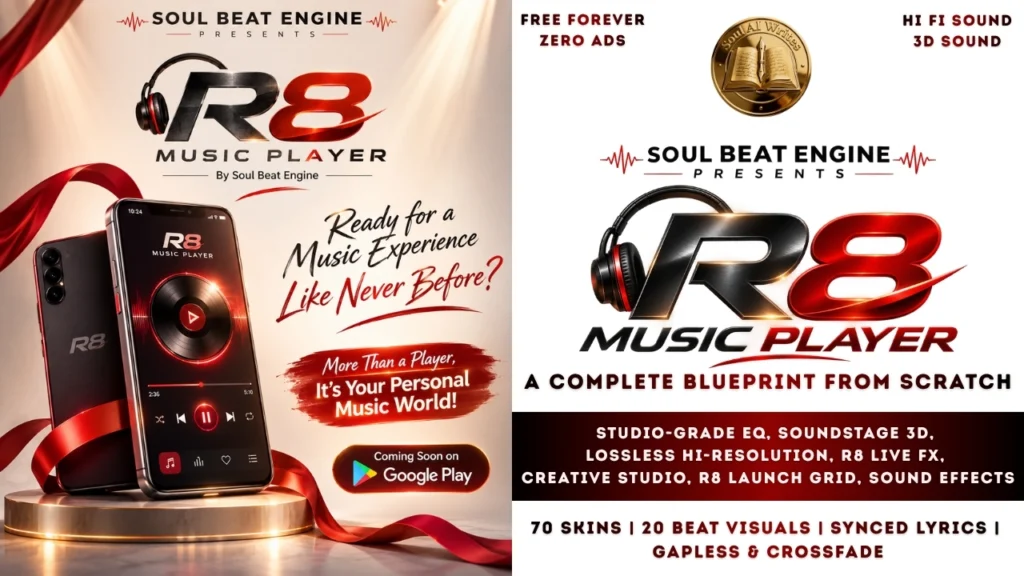
Claude Project – R8 Music Player Review: Did AI Build This Hi Fi App?
Is R8 Music Player the Ad Free Hi Fi Android App Your Phone Has Been…

25 Best AI Prompts for Professionals! Save Hours of Work!
The AI Professional Suite: How to Build a C-Suite Team for $0 In the professional…
Best AI Productivity Prompts: 14 Hacks to Work 10x Faster!
The AI Productivity Suite: How to Do a Week’s Work in One Afternoon We all…
Best AI Social Media Prompts: 36 Ways to Go Viral Fast!
The Ultimate AI Social Media Manager: How to Run a Media Empire Solo There is…
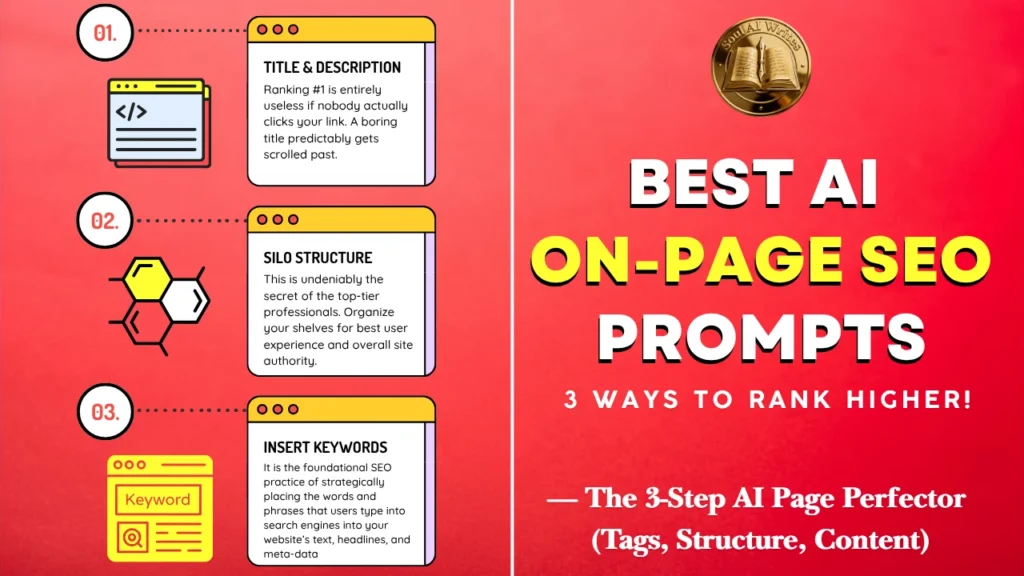
Best AI On-Page SEO Prompts: 3 Ways to Rank Higher!
The AI Page Perfector: How to Make Google Fall in Love With Your Content Most…

Want to Dominate Maps? 5 AI Local SEO Prompts!
The AI Local Hero: How to Beat Big Brands in Your Neighborhood If you run…






Leave a Reply